
What it does
Everything you need for the workout
Connect your equipment, choose where to go, and exercise.
Start here
Run or ride, a world, a route
The first screen asks one thing: where today. No sign-in, no feed, no offers.
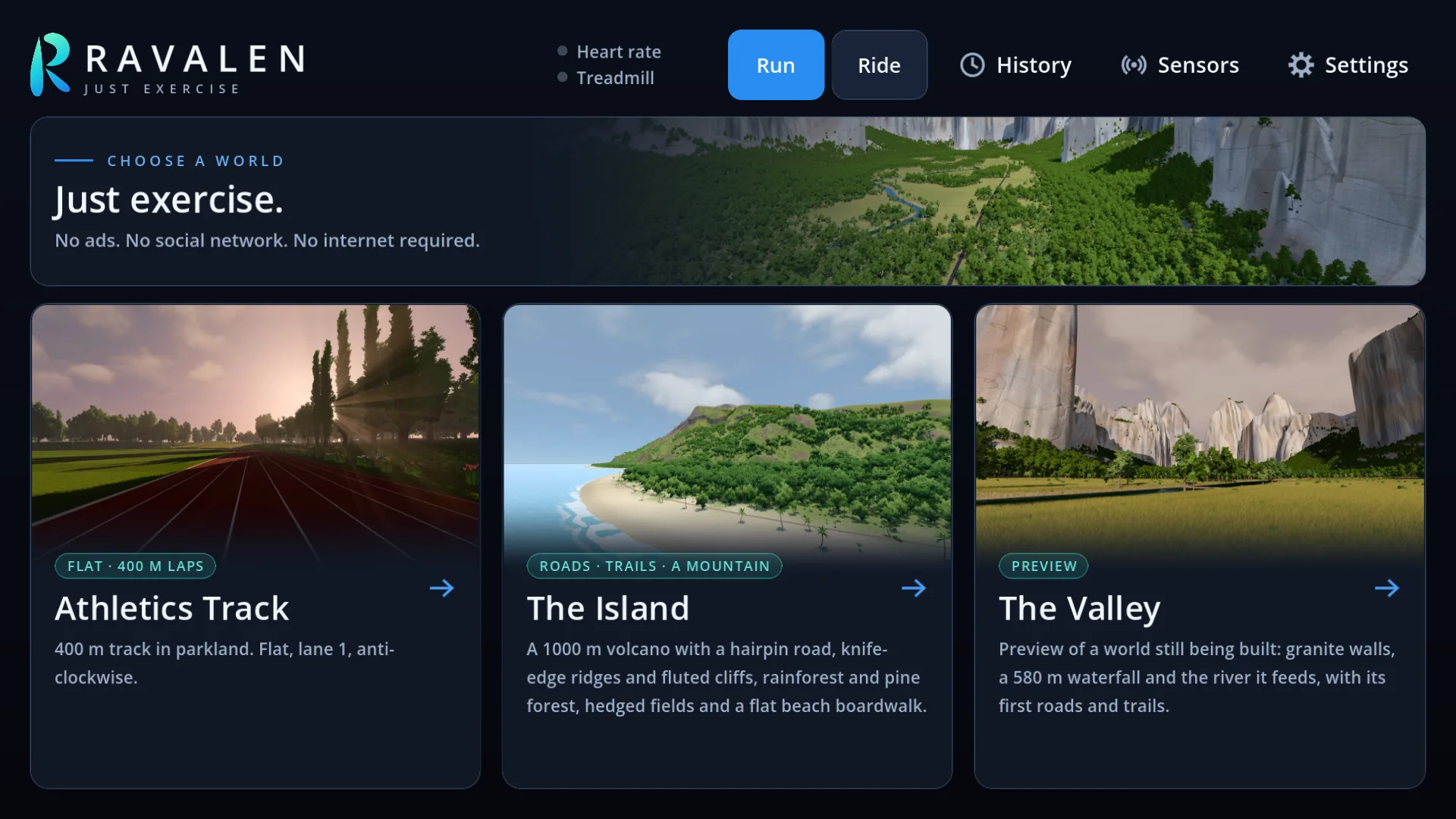
Routes
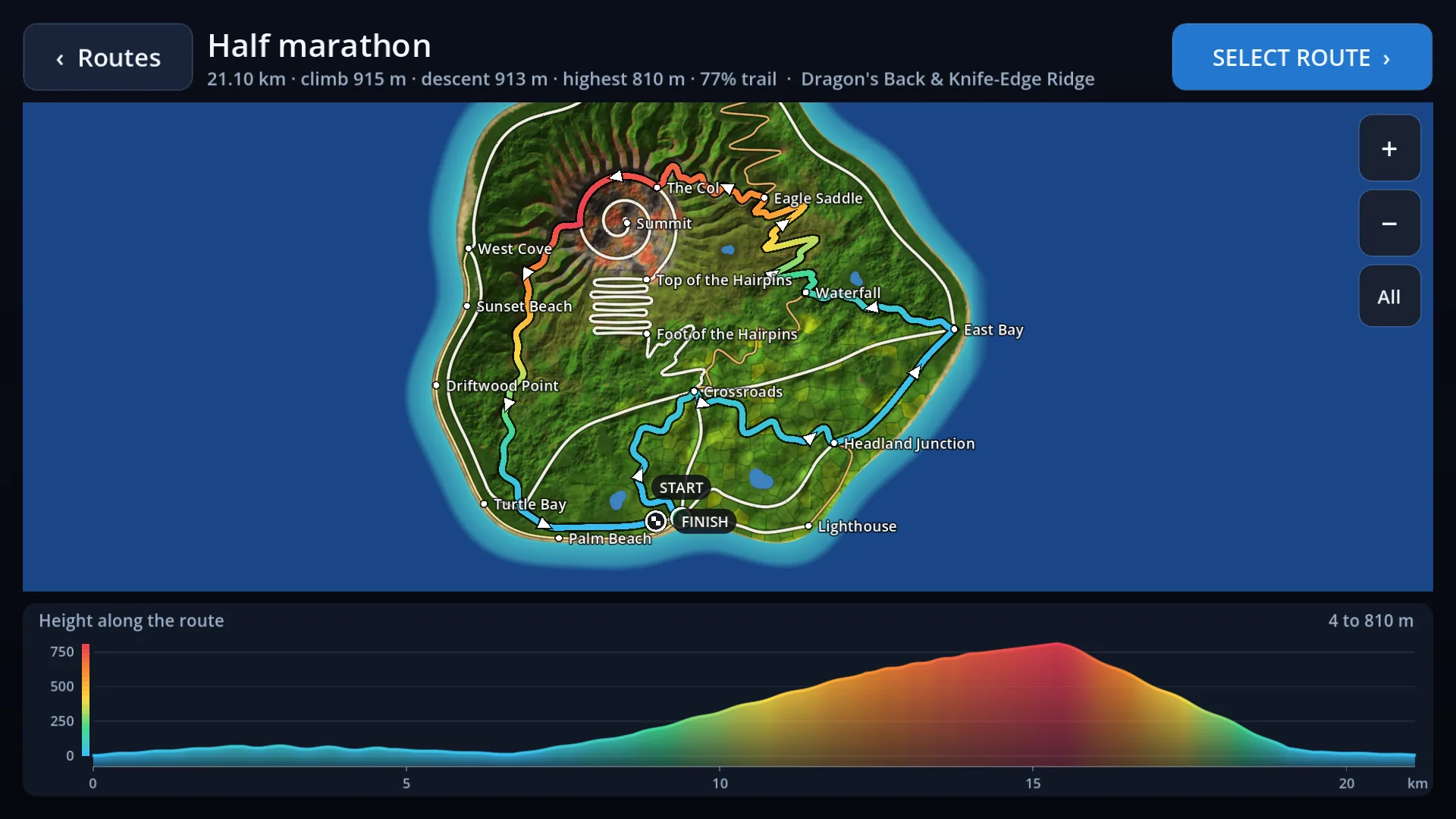
See a route before you run it
Every route shows its map and its hills before you start, from a flat 3k to a marathon over a mountain.
Reach the finish and you can keep going for as long as you like.
Your routes
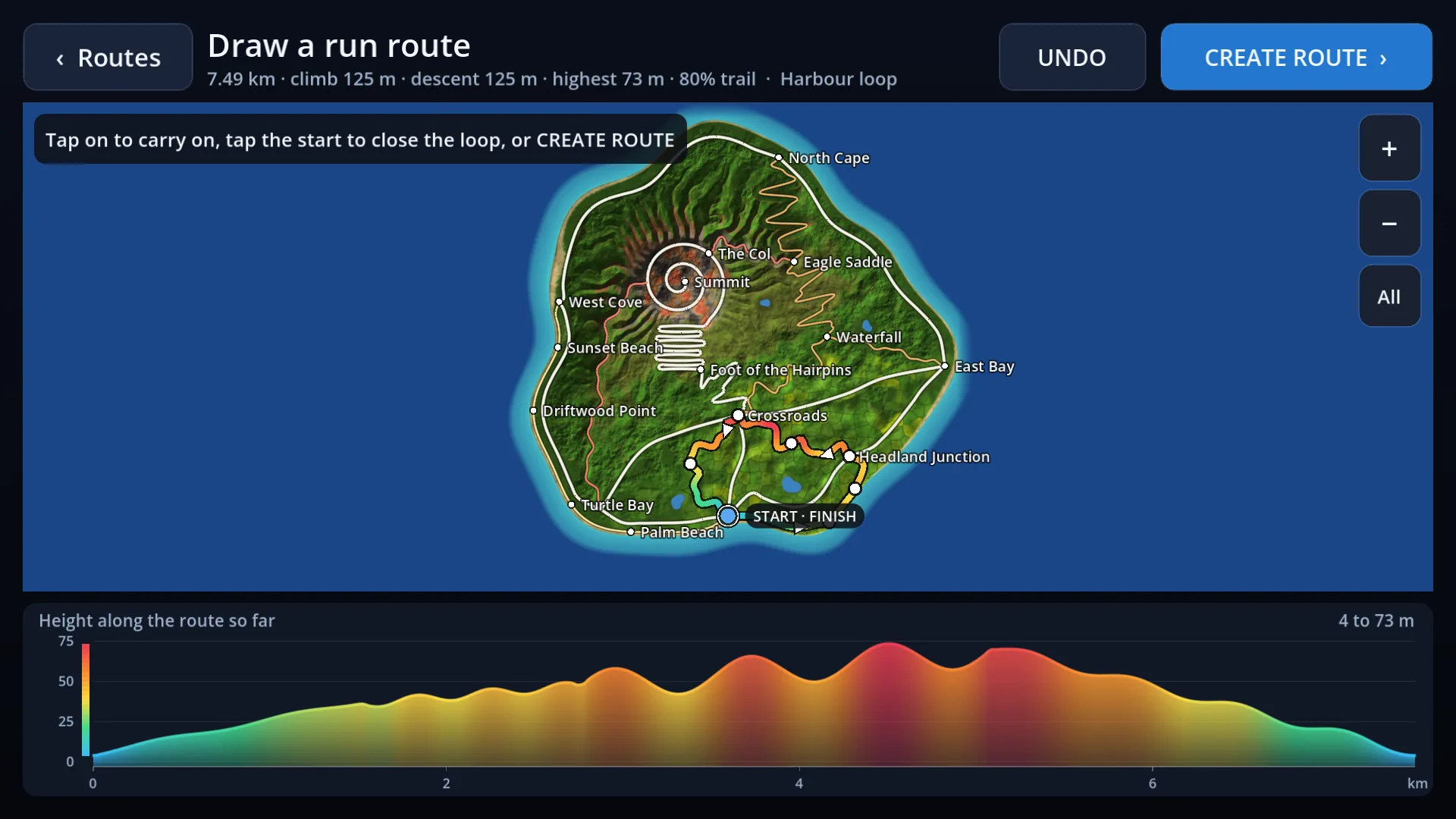
Draw your own
Tap a start, then tap along the roads and trails. Ravalen joins your taps, measures the distance and the climb, and keeps the route for next time.
Workouts
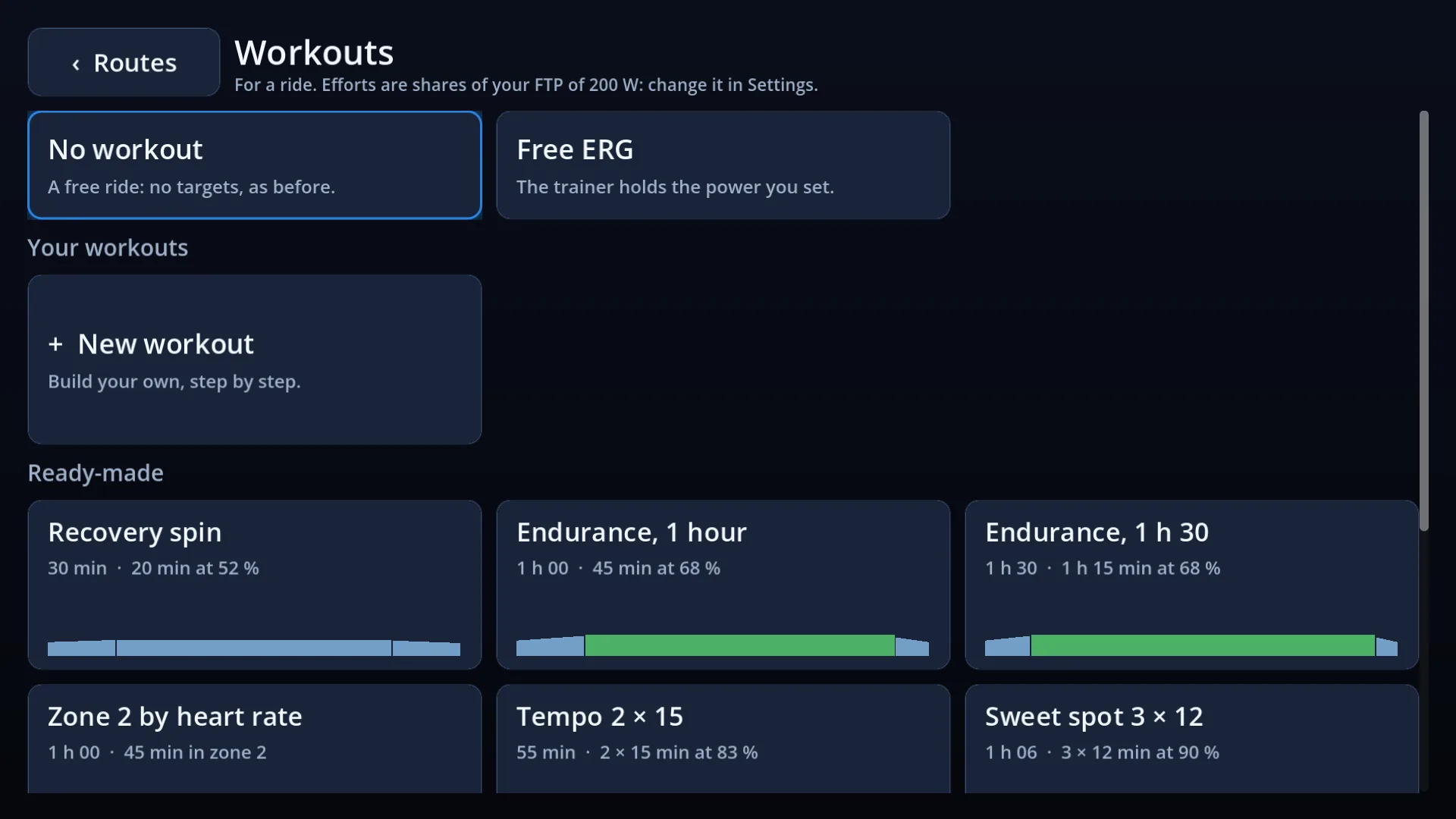
21 workouts, ready to go
Endurance, tempo, threshold and VO2 max sessions for the bike. Easy runs, tempo runs, intervals and track reps on foot.
Set your FTP or threshold pace once, and every workout is in your own watts and your own pace.
The builder
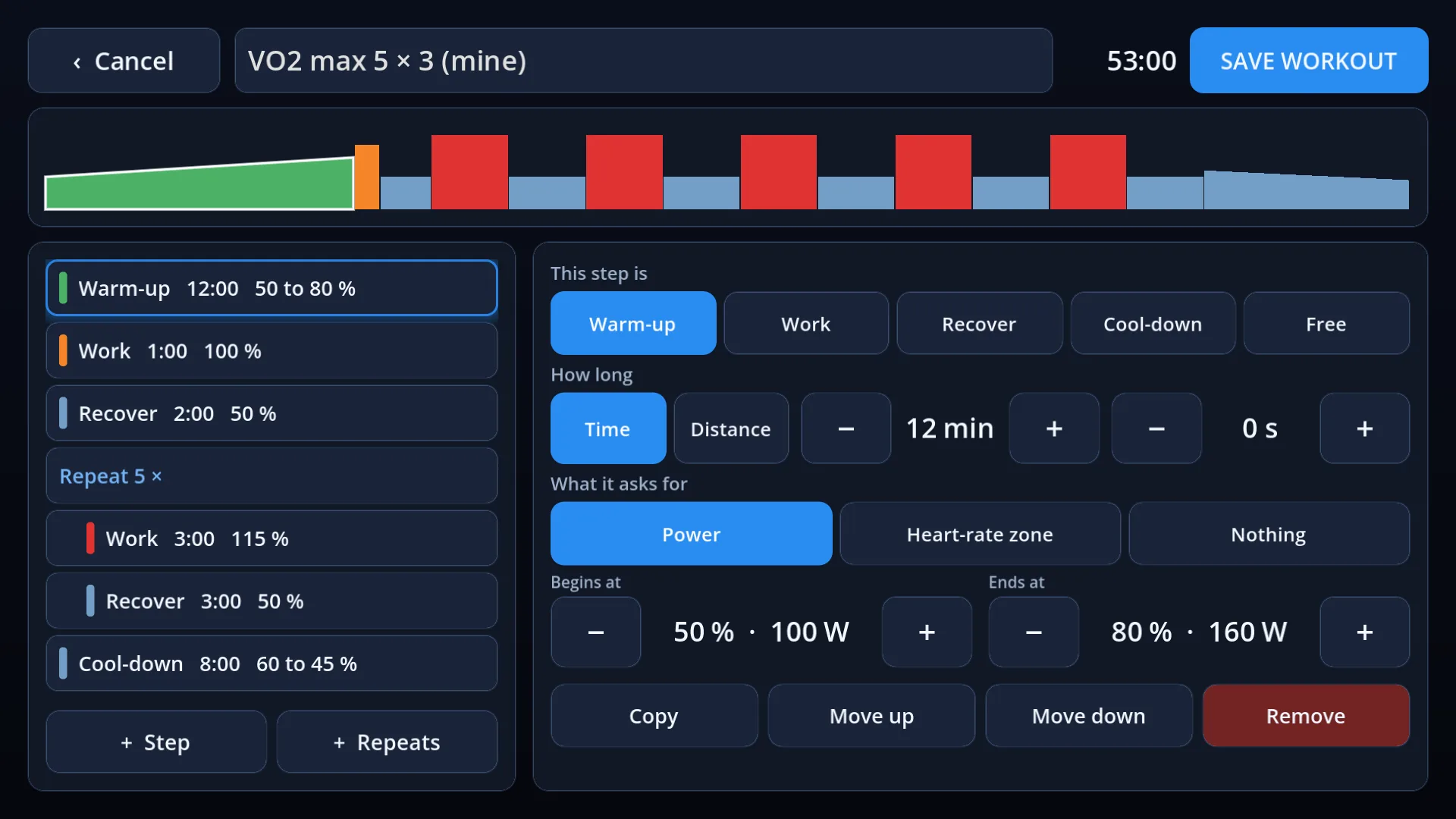
Build your own
Add steps and repeats, set how long and how hard, and save it. Target a power, a pace or a heart-rate zone.
During a workout
Always know what is next
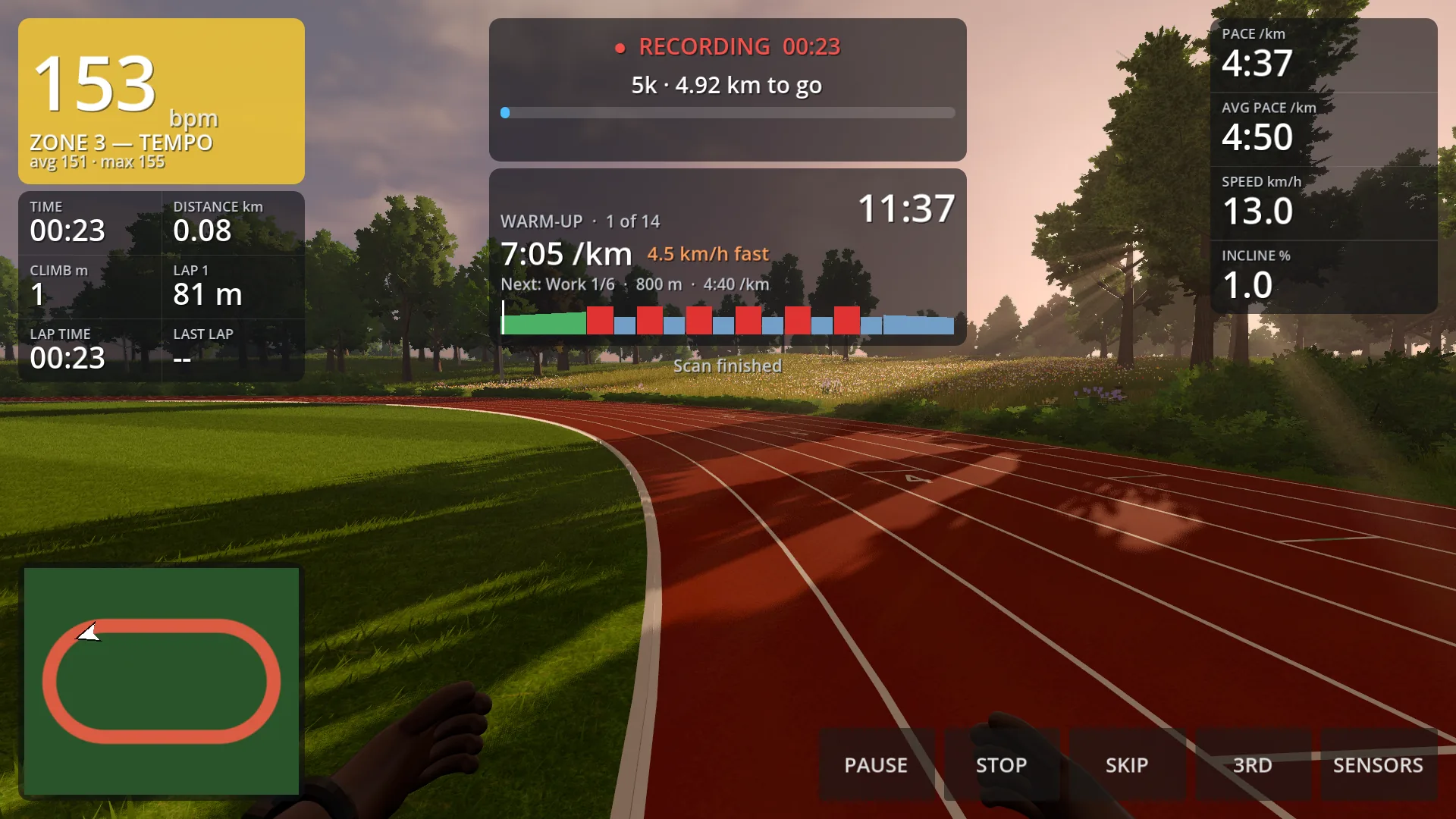
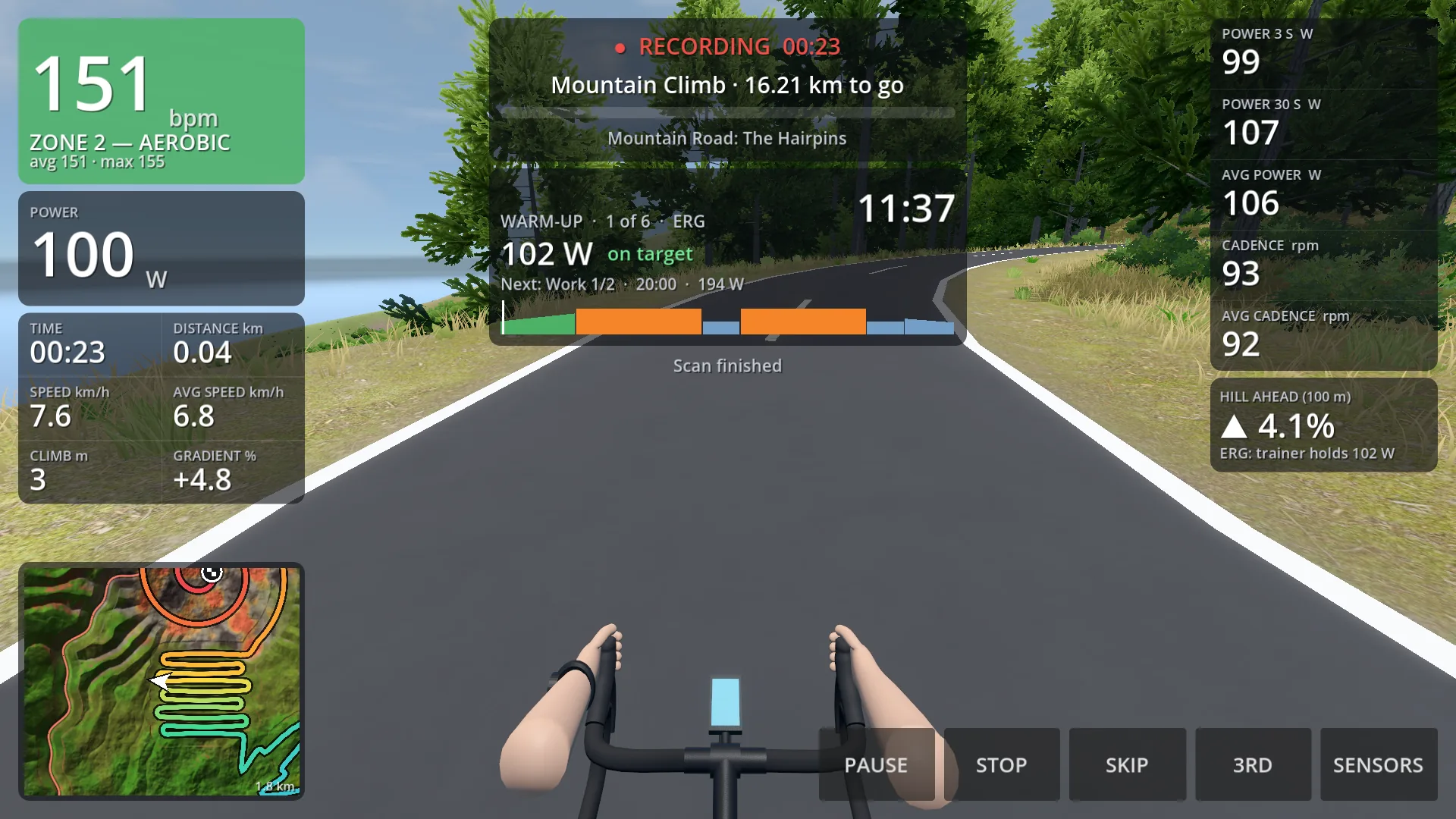
See the step you are on, the time left, your target and whether you are on it, with the whole workout laid out below.
Riding
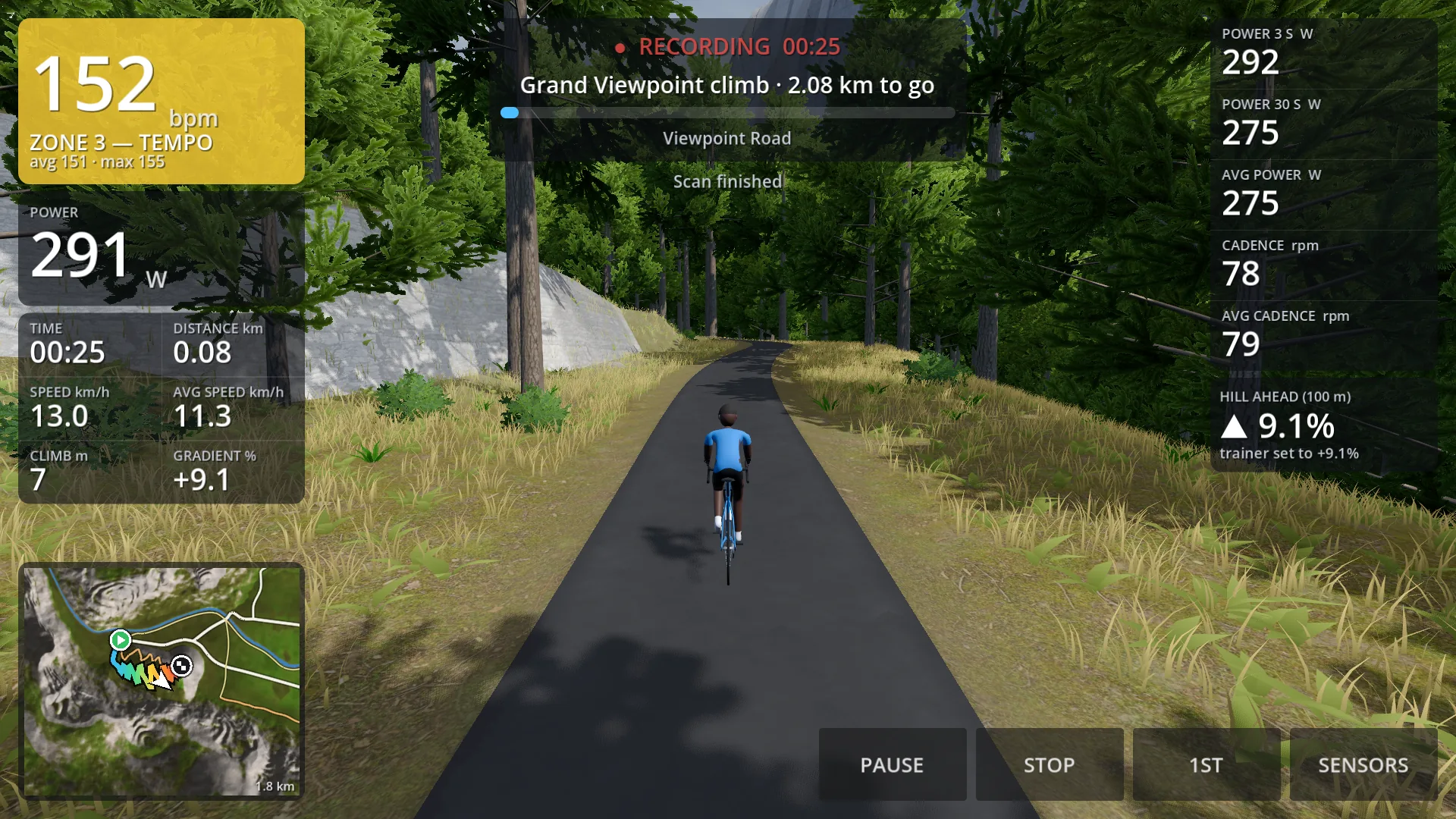
Your trainer feels the hill
The gradient of the road is sent to your smart trainer, so a climb feels like a climb.
- ERG mode holds the power for you in a workout.
- Free ERG lets you set the power yourself as you ride.
Running
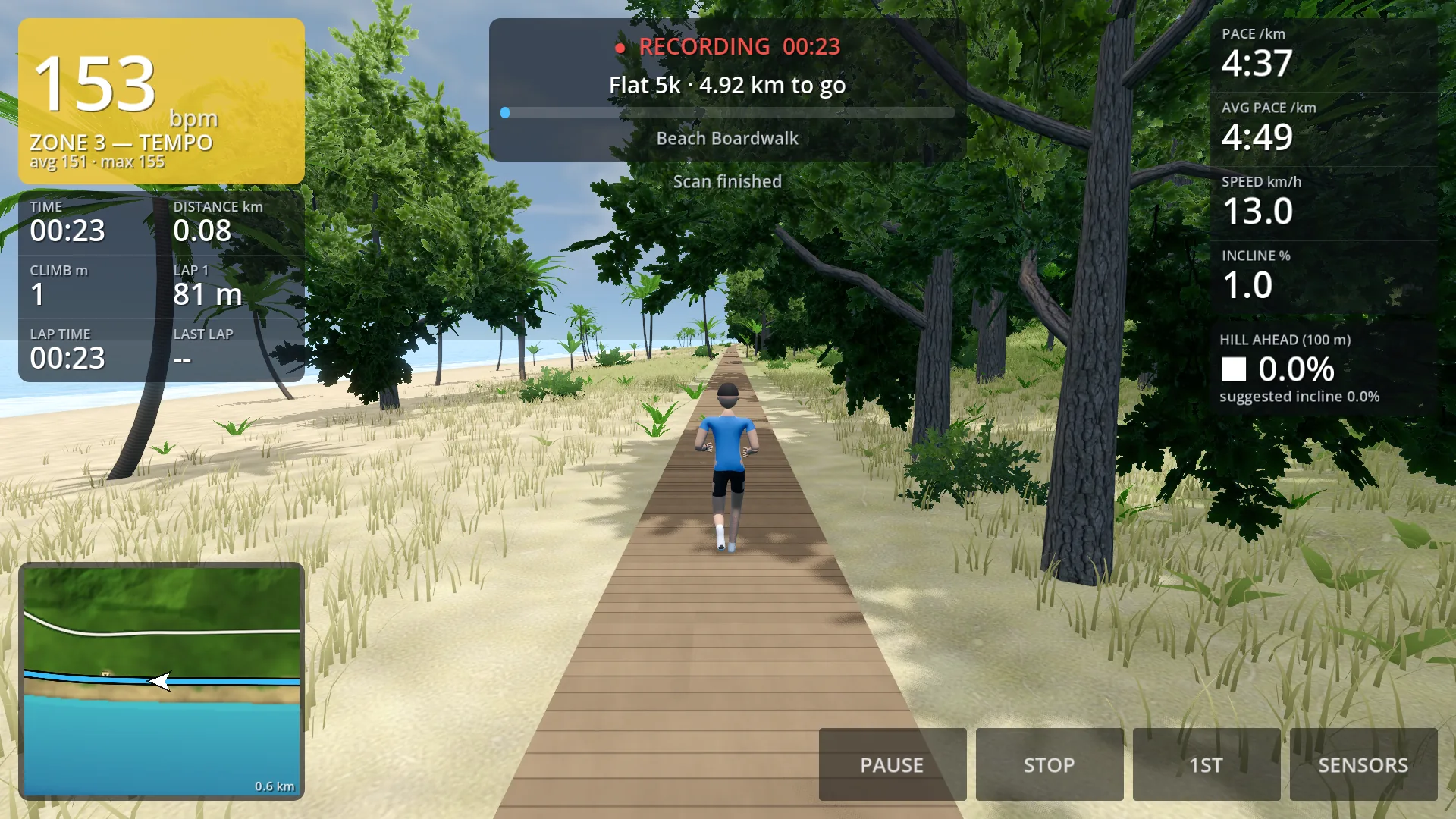
Your treadmill sets the pace
Your runner moves at the speed of your treadmill. On hilly routes Ravalen suggests an incline to match.
Ravalen never changes your treadmill's speed or incline. You stay in control.
Recording
Saved as you go, and yours to keep
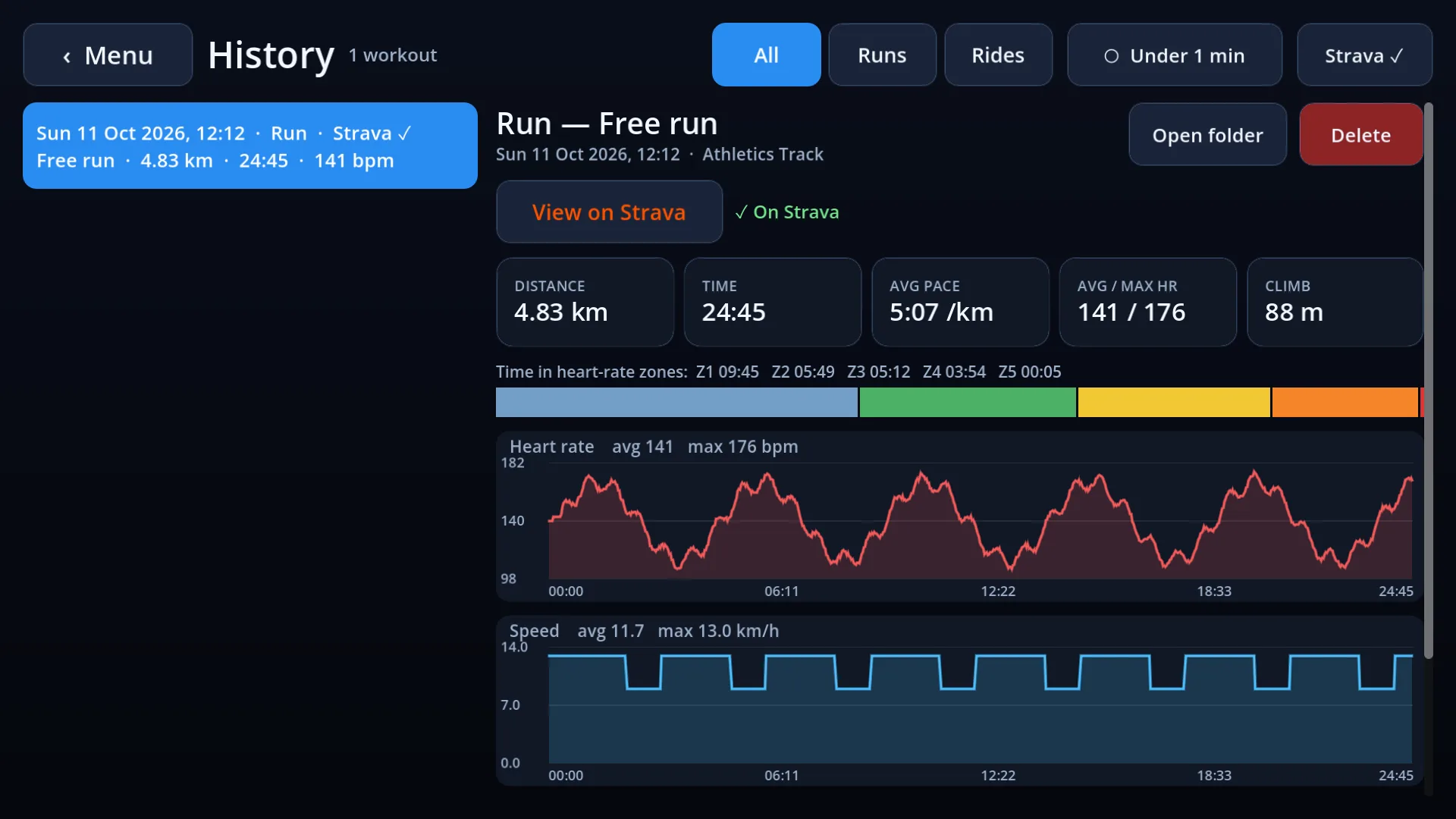
Your workout is saved on your device as you go, so nothing is lost if the app closes.
Look back at any workout in History, or send it to Strava.
Devices
Works with what you own
A Bluetooth treadmill or smart trainer, and a heart-rate strap if you have one. Ravalen remembers them and reconnects.
That is all of it
No coins, no levels, no leaderboard. You open it, connect, and exercise.